



The internet is full of useful information, but not everyone finds it easy or comfortable to read everything on a screen. Some people have difficulty reading long paragraphs. Others may have visual impairments, dyslexia, or learning difficulties that make written content harder to follow. Many people also prefer listening to information while travelling, working, or doing other activities.
This is where text-to-speech (TTS) technology can make a difference.
Text-to-speech converts written words into spoken audio. When websites offer a useful read-aloud option, visitors can listen to articles, instructions, product information, and other written content instead of relying only on reading.
AI has made this technology more flexible. Modern AI text-to-speech tools can produce natural-sounding speech, support different languages, and offer voice and speed adjustments. Website owners and content teams can use these capabilities to create audio versions of their content and give visitors another way to consume information.
However, adding audio to a website is not the same as making the entire website accessible. Good accessibility also requires clear content, proper page structure, keyboard-friendly controls, image descriptions, and compatibility with assistive technologies.
In this guide, we will explain how AI text-to-speech supports website accessibility, who can benefit from it, how businesses can use it, and what to consider before adding a read-aloud feature.
What is Text-to-Speech in Website Accessibility?
Text-to-speech is a technology that converts written content into spoken words. It uses a computer-generated voice to read text aloud, allowing visitors to listen instead of reading everything themselves.
For example, imagine someone visits a website to read a 2,000-word article. Instead of reading the complete article on a mobile screen, they can select a Listen button and hear the article through their device’s speakers or headphones.
The same approach can be used for:
- Blog posts and educational articles
- Product descriptions and buying guides
- Frequently asked questions
- Online learning materials
- Instructions and help documentation
- Important announcements and public information
Traditional text-to-speech systems often sounded mechanical. AI-powered systems have improved speech quality by producing more natural pronunciation, rhythm, and intonation.
This makes listening more comfortable, particularly when the audio contains several paragraphs or detailed explanations.
How does website text-to-speech work?
A basic text-to-speech process includes a few steps:
Text selection: The website identifies the content that needs to be read aloud.
Text processing: The system prepares the text for speech, including punctuation, numbers, abbreviations, and sentence structure.
Speech generation: A TTS engine converts the prepared text into spoken audio.
Audio playback: The visitor listens through an audio player or read-aloud control.
Playback control: Depending on the implementation, visitors can pause, resume, stop, or adjust the audio.
Some websites generate audio in advance and store it as an audio file. Others use a TTS service to generate speech when a visitor requests it.
The right approach depends on the website’s content, traffic, technical setup, and accessibility requirements.
Why Website Accessibility Matters
Website accessibility means designing and developing websites so that people with different abilities can access and use their information and features.
A website should not assume that every visitor:
- Can see the screen clearly.
- Can use a mouse.
- Can read long passages comfortably.
- Can understand information presented only through images.
- Can hear audio or video content.
- Uses the same device or browsing method.
For example, a visitor with low vision may need larger text or screen magnification. Someone who cannot use a mouse may depend on keyboard navigation. A person with a reading difficulty may find it easier to understand an article when they can listen while following the text.
Accessibility is not only about supporting people with permanent disabilities. It can also help people experiencing temporary or situational difficulties.
Consider these examples:
- Someone recovering from an eye injury may find reading uncomfortable.
- A person using a small mobile screen may prefer listening to a long article.
- Someone learning a new language may benefit from hearing pronunciation.
- A visitor in a busy environment may choose to save an article and listen later.
The Web Content Accessibility Guidelines (WCAG) provide internationally recognised guidance for making web content more accessible. Their principles cover whether content is perceivable, operable, understandable, and robust.
Text-to-speech can support access to written information, but it does not replace the wider work required to make a website accessible.
Accessibility and user choice
A useful website gives visitors more than one way to access information.
Some people prefer reading. Others prefer listening. Some may want to read and listen at the same time.
Offering these choices can make the experience more flexible without forcing everyone to use the same format.
Who Benefits from Website Text-to-Speech?
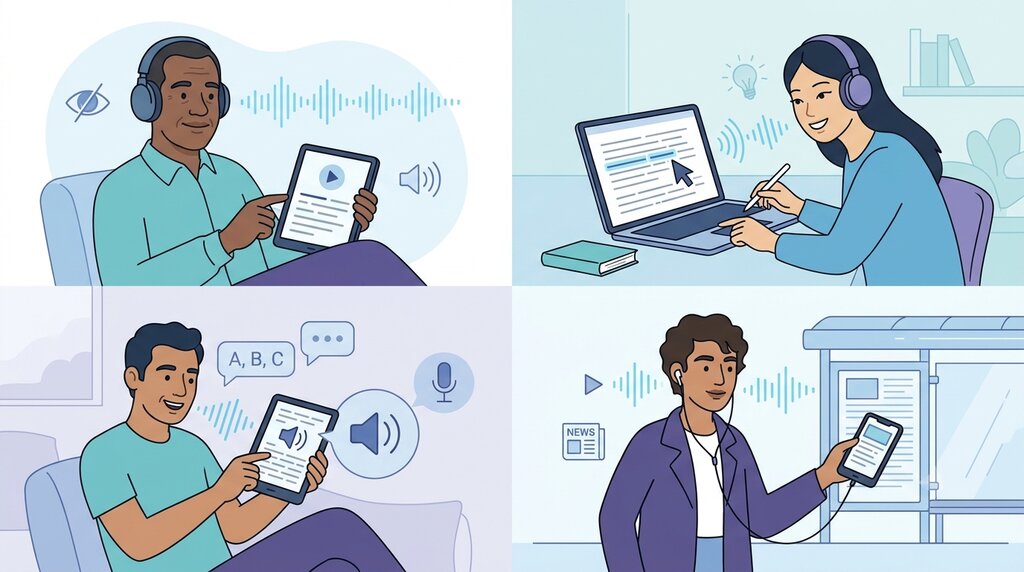
Text-to-speech can support different visitors in different ways. It is important to understand these needs rather than assuming that one audio feature will solve every accessibility problem.
1. People with visual impairments
People with low vision may find it difficult to read small text, low-contrast content, or long pages.
A read-aloud feature provides another way to access written information. Visitors can listen to the content while using their preferred device settings, such as screen magnification or larger text.
However, a website’s TTS player should not be treated as a replacement for a screen reader. Screen readers provide additional functions for navigating headings, links, forms, buttons, and other page elements.
2. People with dyslexia
Dyslexia can affect reading, spelling, and the way a person processes written language. The experience is different for each individual.
Some people with dyslexia find it helpful to hear words while following them on the screen. Listening can reduce the effort involved in decoding written words and help them focus on the meaning of the content.
A useful read-aloud feature may therefore make articles, instructions, and educational materials easier to follow.
3. People with other reading and learning difficulties
Some visitors may have difficulty processing long passages, remembering written instructions, or maintaining concentration while reading.
Listening can provide an alternative way to receive the same information.
For example, an online learning website could let students listen to a lesson while following the written material. A support website could offer spoken versions of detailed instructions.
Audio should remain optional because listening is not equally helpful for everyone.
4. People who are learning a new language
Hearing a word can help language learners understand how it is pronounced.
For example, someone learning English may understand a written sentence but be unsure how certain words sound. Listening to the sentence can help connect written words with spoken language.
Multilingual TTS can also help websites serve visitors who prefer information in different languages, provided the translated content is accurate and appropriate for the audience.
5. People who prefer listening
Not every visitor who uses a read-aloud feature has a disability.
Some people simply enjoy listening to articles instead of reading them. They may listen while commuting, exercising, cooking, or completing routine tasks.
Offering an audio option can make content more convenient for these visitors too.
Important: People have different preferences and accessibility needs. A website should offer listening as an additional choice, not make audio the only way to access important information.
How AI Text-to-Speech Improves the Website Experience
AI text-to-speech can improve the way people interact with written website content. The benefits depend on the quality of the generated speech and how the feature is implemented.
Here are some practical ways it can help.
1. Gives visitors another way to consume information
A long article may require several minutes of focused reading. Some visitors may find it easier to listen to the same information.
A website can offer a clearly labelled play button near the article heading. Visitors can then choose whether to read, listen, or use both options.
This is particularly useful for:
- Long-form articles
- Educational resources
- Detailed product guides
- Tutorials and instructions
2. Makes long content easier to follow
A large block of text can feel difficult to approach, especially on a mobile device.
A read-aloud option allows visitors to listen to the content while following the written paragraphs. If the player also highlights the current sentence or paragraph, it may help some users keep track of their position.
This feature should be tested carefully. Highlighting must remain visually clear and it should not make the page difficult to use for people who prefer reading.
3. Supports multilingual audiences
Websites often serve visitors who speak different languages.
AI text-to-speech can generate spoken versions of content in supported languages. This can be useful for educational websites, international businesses, public information portals, and online services.
For example, an Indian educational website may publish information in English and Hindi. Providing suitable audio versions can give visitors another way to access that information.
There is one important requirement: the spoken language must match the written content. A website should not automatically read Hindi text using an unsuitable English voice or assume that a translated audio version is accurate without checking it.
Text-to-Speech vs Screen Readers: What Is the Difference?
This is one of the most important points website owners should understand.
Text-to-speech and screen readers both involve spoken output, but they are not the same thing.
Text-to-speech is the technology that converts written text into speech.
A screen reader is assistive software that helps people navigate and understand digital interfaces. It can use speech output, braille displays, and other methods to communicate information.
A screen reader may use a TTS engine to speak text, but it provides much more than simply reading an article aloud.
For example, screen readers can help users:
- Move between headings.
- Navigate links and buttons.
- Understand form labels and instructions.
- Read alternative text for images.
- Identify tables and page structure.
- Interact with menus and other controls.
A website-provided read-aloud player usually focuses on a selected section of content. It does not automatically provide all these navigation features.
Comparison: Website TTS and screen readers
| Feature | Website text-to-speech | Screen reader |
|---|---|---|
| Main purpose | Reads selected written content aloud | Helps navigate and understand an interface |
| Reads articles | Yes, when supported | Yes |
| Navigates headings | Not usually | Yes, when page structure supports it |
| Identifies links and buttons | Not usually | Yes |
| Reads image descriptions | Only if specifically included in the audio content | Can read programmatic text alternatives |
| Works across websites | Usually limited to the website or feature | Generally works across different applications and websites |
| User controls | Depends on the player | Includes navigation and speech controls |
Can a website use both?
Yes. In fact, websites should be designed so that their own read-aloud feature works alongside users’ existing assistive technology.
A visitor may use a screen reader to navigate the page and still choose to play a specific audio version of an article. However, simultaneous audio from multiple sources can become confusing.
Avoid automatically starting the website’s audio when a page loads. Let visitors decide when to play it.
Practical Uses of Text-to-Speech on Websites
Text-to-speech can be useful across different types of websites. The best approach depends on the information visitors need to access.
1. Educational websites
Educational websites publish lessons, tutorials, study notes, and exam preparation materials.
A read-aloud feature can help students listen to explanations while following the written material.
For example, an online learning platform could provide:
- Audio versions of study notes
- Spoken explanations of difficult topics
- Read-aloud options for lesson pages
- Audio versions of revision guides
The written lesson should remain available so that students can choose the format that works best for them.
2. E-commerce websites
Online stores often contain detailed product descriptions, specifications, delivery information, and return policies.
A visitor may want to hear the key details rather than read a long description.
A store could consider audio versions of:
- Product descriptions
- Product usage instructions
- Important policy information
- Buying guides
- Frequently asked questions
For product information, accuracy is especially important. The audio should not omit important details such as product dimensions, materials, compatibility, or safety instructions.
3. News and publishing websites
News websites and online publishers produce a large amount of written content every day.
Offering an audio version of an article can help visitors who prefer listening to news and features.
Publishers can consider read-aloud options for:
- News reports
- Opinion articles
- Interviews
- Long-form features
- Explainers and educational content
A good audio version should preserve the meaning of the original article. Headlines, quotations, names, dates, and numbers should be checked before publication.
How to Add Text-to-Speech to a Website
There are several ways to introduce text-to-speech functionality. The right method depends on whether you want a simple audio file, a read-aloud player or a more integrated website feature.
Step 1: Identify which content should be available in audio
Start by reviewing the pages where listening could provide genuine value.
You might begin with:
- Frequently visited blog articles
- Long educational pages
- Important instructions
- Frequently asked questions
- Product guides
You do not necessarily need to convert every page immediately. Start with content where a listening option is likely to be useful.
Step 2: Prepare the written content
AI speech quality depends partly on the quality of the source text.
Before generating audio, review the content for:
- Spelling and grammar errors
- Unclear sentences
- Unnecessary abbreviations
- Incorrect punctuation
- Difficult technical terms
- Incorrect names and numbers
Use clear headings and short paragraphs. Well-organised content is easier for people to read and generally easier to prepare for speech.
Step 3: Choose a text-to-speech solution
You can use a TTS API, a website integration, a browser-based read-aloud feature, or a service that generates downloadable audio files.
Consider the following questions before selecting a solution:
- Does it support your website’s languages?
- Are the voices clear and suitable for your audience?
- Can you control speech speed and pronunciation?
- Can the audio be generated in the format you need?
- Does it support your expected content volume?
- Are the usage rights suitable for your intended use?
- Can the solution be integrated with your existing website?
For a website that publishes content regularly, an API-based setup may be useful. For a smaller website, generating audio files and adding a player may be simpler.
Step 4: Select a suitable voice and language
Choose a voice that matches the content and audience.
For example:
- Educational articles may need a clear and steady voice.
- Public information may benefit from a calm and professional voice.
- General blog content may suit a friendly conversational voice.
The voice should be easy to understand rather than overly dramatic.
If your website publishes in multiple languages, select a voice that supports the correct language and pronunciation.
Step 5: Generate and review the audio
Convert the prepared text into speech.
Do not publish the generated audio without checking it.
Listen for:
- Incorrect pronunciation
- Missing sentences
- Unnatural pauses
- Misread numbers
- Confusing abbreviations
- Unclear names and technical terms
- Sudden changes in volume or pacing
If a section sounds incorrect, adjust the source text or pronunciation settings and generate it again.
Step 6: Add a clear audio player
Place a visible and understandable audio control near the beginning of the content.
A simple player may include:
- Play
- Pause
- Resume
- Stop
- Playback progress
- Volume control
- Playback speed, if supported
Use clear labels such as Listen to this article or Play audio.
Do not rely on an icon alone if its purpose may be unclear to visitors.
Step 7: Test the feature on different devices
Test the player on desktop computers, tablets, and mobile phones.
Also check whether it works with keyboard navigation and common assistive technologies.
Make sure that:
- The play button can be reached using a keyboard.
- Controls have understandable names.
- The current playback state is communicated.
- The player does not cover important content.
- Audio does not start automatically.
- Visitors can stop playback easily.
- The feature does not interfere with screen-reader speech.
A feature should be tested with actual users where possible, especially people who use assistive technology.
Best Practices for an Accessible Read-Aloud Feature
Adding a player is only the first step. Its design and behaviour determine whether visitors can use it comfortably.
1. Let visitors control playback
Never assume that visitors want audio to start automatically.
Give them control over when the audio begins and ends. Provide easy-to-find pause and stop options.
The W3C’s WCAG guidance on Audio Control explains that automatically playing audio for more than three seconds requires a way to pause or stop it, or control its volume independently. The recommended approach for a read-aloud feature is simpler: start playback only after the visitor requests it.
2. Use clear and understandable controls
A visitor should immediately understand what each control does.
Use labels such as:
- Listen to this article
- Pause audio
- Resume audio
- Stop playback
- Adjust playback speed
Ensure that controls are large enough to use comfortably on mobile devices.
3. Make the player keyboard accessible
Not everyone uses a mouse or touchscreen.
Visitors should be able to reach the player using the keyboard and operate its controls using standard keyboard interactions.
Visible focus indicators are also important. They help keyboard users understand which control is currently selected.
How Speakatoo Can Help Create Accessible Audio Content
Website owners, publishers, educators, and content teams may need to create audio versions of written material regularly.
Speakatoo provides an AI text-to-speech service that converts written text into spoken audio. It can be useful when preparing narration for articles, educational material, tutorials, and other content.
The platform lists support for more than 130 languages and a large library of AI voices. Users can select a language and voice, preview speech, and adjust available settings such as speed, pitch, and volume.
These features can help content teams prepare audio versions that suit different audiences.
What can you create with Speakatoo?
Some practical examples include:
Spoken versions of blog articles
Audio explanations for educational content
Narration for tutorials
Product information voiceovers
Multilingual audio content
Spoken versions of general informational material
How to create audio using Speakatoo
The basic process is straightforward:
- Visit the Speakatoo Text-to-Speech page.
- Select the language for your content.
- Choose a suitable voice and preview it.
- Paste the written content into the text editor.
- Adjust available voice settings, such as speed, pitch, and volume.
- Generate the speech and listen to the output.
- Download the audio in a supported format.
Before adding the audio to your website, check its pronunciation, pacing, and accuracy.
An important distinction: Speakatoo can help generate the spoken audio. Adding an accessible read-aloud player to a website, connecting it to the correct article content, supporting keyboard controls, and testing it with assistive technology are separate implementation tasks. Website owners should plan for these requirements when building their audio experience.
Frequently Asked Questions
1. What is text-to-speech in website accessibility?
Text-to-speech is a technology that converts written website content into spoken audio. It gives visitors the option to listen to articles, instructions, and other information instead of relying only on reading.
2. How does AI text-to-speech improve website accessibility?
AI text-to-speech can provide an alternative way to access written information. It may help people with visual impairments, dyslexia, reading difficulties, or language-learning needs, as well as visitors who prefer listening.
3. Is text-to-speech the same as a screen reader?
No. Text-to-speech converts text into spoken words. A screen reader is assistive software that helps users navigate and understand websites, including headings, links, buttons, forms, and image descriptions. Screen readers may use text-to-speech to speak information.
4. Can text-to-speech help people with dylexias?
It can help some people with dyslexia by allowing them to hear written content while following it on the screen. However, individual needs and preferences differ, so audio should be offered as an option rather than a requirement.
5. Does adding a text-to-speech player make a website fully accessible?
No. A TTS player is only one possible accessibility feature. A website also needs clear structure, keyboard navigation, meaningful image alternatives, accessible forms, suitable contrast, and compatibility with assistive technologies.
6. Can AI text-to-speech read an entire blog article?
Yes, a suitable TTS solution can convert an article into spoken audio. Website owners should prepare the text carefully and review the generated audio for pronunciation, missing content, numbers, and technical terms.
7. Can text-to-speech support multiple languages?
Yes. Many AI text-to-speech services support multiple languages and voice options. Website owners should select a voice that matches the language of the written content and check its pronunciation before publishing.
8. Should website audio play automatically?
No. It is generally better to let visitors start audio themselves. Unexpected playback can distract users and interfere with screen-reader speech. Provide clear controls for pausing and stopping audio.
9. Can text-to-speech help mobile website visitors?
Yes. Listening can be convenient for visitors using small screens or reading long articles on mobile devices. The audio player should have clear, touch-friendly controls and work properly across screen sizes.
10. What should an accessible website audio player include?
A useful player should include clearly labelled play, pause, and stop controls. A progress indicator, volume control, and playback-speed setting can also help. Controls should be keyboard accessible and should communicate their current state.
11. Can Speakatoo create audio versions of website articles?
Speakatoo offers AI text-to-speech that converts written content into spoken audio. Users can choose from supported languages and voices, adjust available speech settings, and generate audio files. Website owners need to add and test their own accessible playback feature.
12. Is AI-generated speech always accurate?
No. AI speech systems can mispronounce names, technical words, abbreviations, and numbers. Important audio content should be reviewed before publication, especially when it includes medical, legal, financial, or safety-related information.
13. Is audio better than written content for accessibility?
Not for everyone. Some visitors prefer listening, while others need or prefer written information. The most useful approach is to provide both formats so people can choose how they access the content.
Conclusion
Website accessibility is about making information easier for people to access, understand, and use. Text-to-speech can contribute to this goal by giving visitors another way to consume written content.
It can be helpful for people with visual impairments, dyslexia, and certain reading difficulties. It can also support language learners and visitors who simply prefer listening.
AI has made it easier to generate spoken versions of articles, instructions, educational resources, and other website content. However, good implementation matters just as much as voice quality.
A useful read-aloud feature should be optional, easy to control, keyboard accessible, and compatible with the wider website experience. It should also work alongside screen readers and other accessibility features rather than attempting to replace them.
For website owners and content creators, the practical approach is to start with useful content, generate clear audio, review it carefully, and test the complete experience with real users.
Tools such as Speakatoo Text to Speech can help create spoken versions of written material. When combined with thoughtful website design, audio can become another meaningful way for people to access online information.