



Introduction: The Quest for Absolute Audio Realism
If you have ever pasted a script into an automated text-to-speech engine, clicked generate, and listened to the output only to cringe at the lifeless, robotic cadence, you are not alone. Early text-to-speech (TTS) technology suffered from a glaring flaw: it read words mechanically, treating every sentence with identical pacing, flat pitch contours, and a total lack of emotional subtext.
For digital content creators, podcasters, educators, and enterprise marketers, this robotic inflection used to mean spending hours manually editing audio tracks or hiring costly voice actors because automated tools simply couldn’t pass the “human test.”
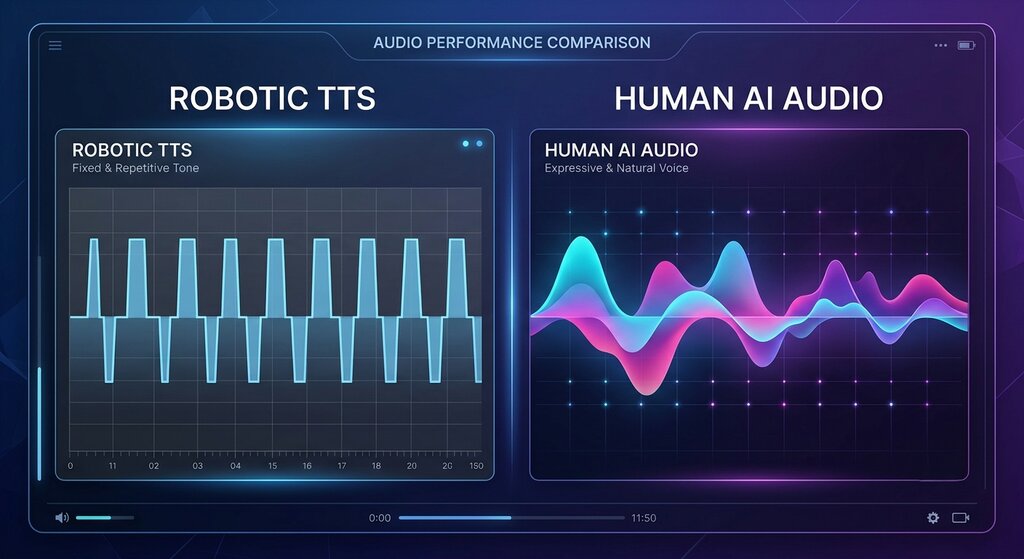
Today, that barrier has vanished. Modern platforms like Speakatoo provide access to over 1,900+ natural AI voices spanning 130+ languages and regional dialects, equipped with advanced sound studio controls. However, even with the most sophisticated AI models on the market, the quality of your audio output ultimately depends on how you write, format and fine-tune your scripts.
In this exhaustive, masterclass-level guide, we will break down the exact science of speech synthesis and explore 7 professional tips to eliminate robotic inflection forever—ensuring your next text-to-speech project sounds 100% human, engaging, and alive.
Understanding Why AI Voices Sound Robotic
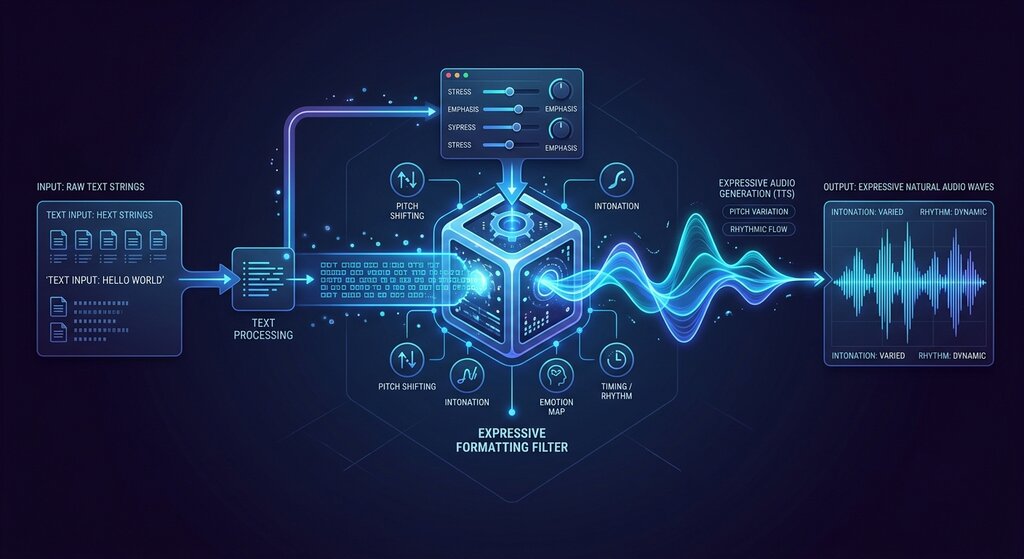
Before we fix the problem, it helps to understand what causes robotic inflection in the first place. When an AI engine reads raw text, it relies on algorithmic guesses to determine where breaths should happen, which words require emphasis, and how sentences should resolve.
The Dangers of Flat Punctuation
If you feed a TTS generator a massive block of unformatted text with long, convoluted sentences, the engine loses its semantic bearings. Without clear punctuation markers, it maintains a steady, monotone rhythm from start to finish—creating the classic “GPS navigator” sound that instantly turns listeners away.
The Role of Micro-Pauses and Cadence
Human speech is rarely continuous. We pause slightly before important points, drop our pitch at the end of definitive statements, raise our inflection when asking questions, and insert tiny breathing gaps. Replicating this requires intentional script formatting and leveraging advanced audio control suites.
Tip #1 — Write Conversational Scripts (Speak How People Talk)
The number one cause of robotic AI speech isn’t the software—it’s the script itself. People write differently than they speak. When writing for text-to-speech, traditional essay-style writing will almost always sound unnatural.
1. Shorten Your Sentences
-
The Written Trap: “In consequence of the recent regulatory shifts that took place across the global technology sector last month, organizations must proactively adapt their digital compliance frameworks.” (This is a tongue-twister for both humans and AI).
-
The Conversational Fix: “Because of last month’s tech regulations, companies need to update their compliance frameworks fast.”
-
Why it works: Shorter sentences give the AI natural breathing checkpoints, preventing breathless, rushing delivery and awkward inflections.
2. Embrace Contractions
Humans naturally use contractions (don't, can't, it's, you'll, we're). Forcing an AI engine to read formal, uncontracted words (do not, cannot, it is) often triggers a stiff, formal reading style that strips away warmth and approachability.
Tip #2 — Master Punctuation as Your Direct Inflection Control
Punctuation is your primary remote control when shaping how an AI voice reads your script. TTS engines treat punctuation marks as hard rules for pauses and pitch shifts.
1. Strategic Use of Commas and Periods
-
Commas (
,) create micro-pauses (typically 100 to 200 milliseconds). Use them to separate clauses and give the voice time to “breathe.” -
Periods (
.) signal a complete stop and a downward drop in vocal pitch. -
Em-Dashes (
—) are secret weapons in AI scriptwriting. They force a dramatic pause and create a natural conversational interruption, perfect for emphasizing a surprising point or injecting personality.
2. Question Marks and Exclamation Points
Use question marks (?) only when you want an unmistakable upward inflection at the end of a phrase. Conversely, use exclamation points (!) sparingly; overusing them can cause the AI voice to sound artificially hyperactive or erratic.
Tip #3 — Inject Human Emotion and Dynamic Tone Profiles
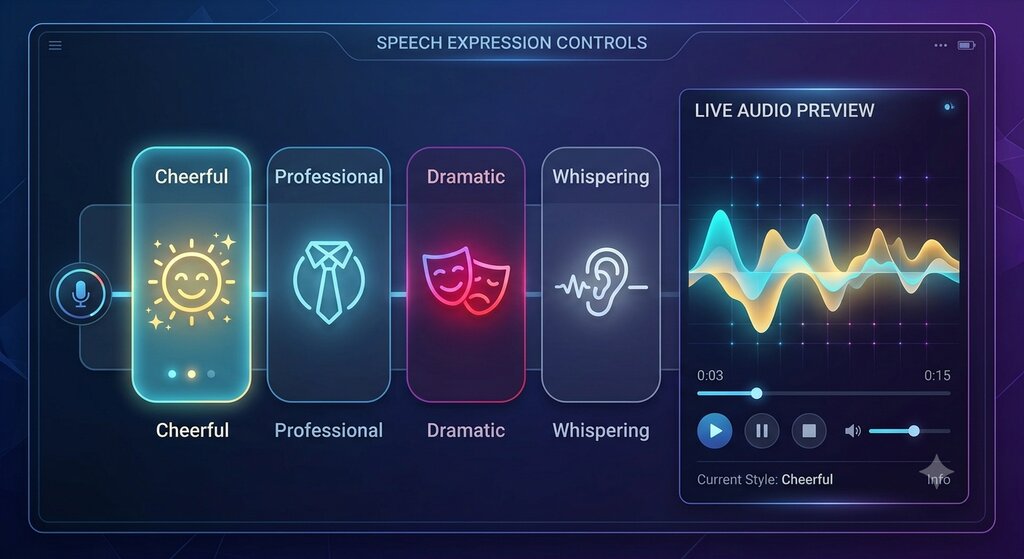
A voice can have perfect pronunciation and flawless pacing, but if it lacks emotional context, it will still feel hollow. Modern sound studio suites allow creators to infuse specific emotional states into their narration.
Matching Tone to Content Genre
Different types of content demand entirely different emotional profiles:
-
Explainer Videos & Tutorials: Benefit from a Friendly & Conversational or Calm & Professional tone that keeps viewers relaxed and focused.
-
Marketing Ads & Social Media Reels: Require an Energetic & Promotional cadence with dynamic pitch variation to grab attention instantly.
-
Storytelling & Documentaries: Thrive on Dramatic, Hopeful, or Narrative tones that build suspense and emotional depth.
Platforms like Speakatoo allow you to instantly toggle between multiple emotional styles—from cheerful and hopeful to whispered or serious—without rewriting a single word of your script. You can test these variations directly inside the Speakatoo Text-to-Speech Generator.
Tip #4 — Fine-Tune Pitch, Speed, and Breathing Pauses
Relying entirely on default settings is the fastest way to end up with generic audio. Fine-tuning the mechanical parameters of your audio output unlocks true broadcast quality.
1. Adjusting Voice Speed (Rate)
-
The Rush Problem: Generating speech at 100% default speed can sometimes feel slightly rushed, making complex ideas hard to digest.
-
The Sweet Spot: Dropping your voice speed slightly (e.g., to 95% or 98%) gives complex scripts breathing room, sounding much more thoughtful, deliberate, and human.
2. Leveraging Breathing Pauses
Human speakers naturally inhale between thoughts. Inserting intentional breathing pauses into your text generation tool prevents sentences from bleeding into one another, creating a rhythmic, lifelike cadence that completely eliminates robotic fatigue.
Tip #5 — Fix Pronunciation Quirks and Abbreviations
AI engines occasionally stumble over unique brand names, acronyms, technical jargon, or foreign loan words, pronouncing them literally letter-by-letter or with awkward syllable stress.
1. Spelling Out Phonetics
If your script includes a tricky company name or technical term (e.g., pronouncing “SQL” as “S-Q-L” instead of “Sequel”, or spelling out acronyms phonetically like es-cue-ell), adjust your script spelling temporarily to guide the AI engine.
2. Utilizing Custom Pronunciation Dictionaries
Advanced sound studios feature built-in custom pronunciation tools. By saving correct phonetic spellings for recurring brand names, specialized terminology, and names of people or places, you ensure 100% consistency across all your audio productions without needing manual edits every time.
Tip #6 — Leverage Multi-Voice Diversity and Regional Accents
Sometimes, text sounds robotic simply because the wrong voice profile was chosen for the context. A deep corporate narrator voice reading a playful children’s story will sound unnatural no matter how much you tweak the punctuation.
1. Matching Demographics to Content
-
Explore diverse voice libraries to find voices that match the exact age group, gender, and demographic suited to your target audience.
-
Ensure your voice selection aligns with your brand identity so your listeners experience consistent audio branding across all episodes or video uploads.
2. Embracing Authentic Regional Accents
If you are creating content for specific regional markets (such as regional Indian languages like Hindi, Tamil, Bengali, or global dialects like Spanish and French), always select native accent profiles. Using a generic accent for local content immediately breaks the illusion of natural human delivery.
Tip #7 — The Human-in-the-Loop Polish (Preview and Iteration)
The final step to eliminating robotic inflection is adopting a rigorous review habit. Never export your first generated audio draft blindly.
1. The 10-Word Preview Habit
Always utilize instant audio previews for opening paragraphs. Listen closely for:
-
Weird Cadence Spikes: Did the AI put emphasis on the wrong word in a sentence?
-
Pacing Drops: Does a specific paragraph sound rushed or clipped?
2. Iterative Refinement
If a sentence sounds robotic, make a minor adjustment—add an em-dash, swap a formal word for a conversational contraction, or adjust the pitch slider—and regenerate. Taking 30 seconds to refine your script transforms “decent AI audio” into “indistinguishable from a human professional in a recording studio.”
For creators looking for an all-in-one ecosystem equipped with granular audio controls, emotion tagging, breathing pauses, and 1,900+ natural voices, exploring platforms like Speakatoo provides everything you need to produce flawless audio. You can test out their editing tools directly via the Speakatoo Text-to-Speech Generator.
FAQs on Making AI Text-to-Speech Sound Human
Q1: Why do some AI voices sound robotic while others sound completely human?
Answer: Robotic inflection usually stems from unformatted text, lack of emotional context, rigid sentence structures, and older synthesis architectures. Modern neural TTS engines trained on expressive human datasets produce organic breathing patterns, dynamic pitch shifts, and natural pacing.
Q2: How can I make my text-to-speech script sound more conversational?
Answer: Write shorter sentences, use contractions (don't, it's), eliminate stiff academic jargon, and read your script aloud to yourself before pasting it into the generator.
Q3: What punctuation marks work best for controlling AI voice pacing?
Answer: Commas create micro-pauses, periods prompt a drop in pitch, and em-dashes (—) act as powerful conversational pauses that force the AI to hesitate naturally before key points.
Q4: Can I add human emotions like excitement or whispering to AI voices?
Answer: Yes. Advanced text-to-speech platforms feature built-in emotion controls allowing you to toggle between cheerful, dramatic, professional, whispered, or energetic delivery styles instantly.
Q5: How do I fix an AI voice mispronouncing a brand name or acronym?
Answer: You can adjust the spelling phonetically in your script (e.g., spelling out acronyms or modifying vowels) or utilize custom pronunciation dictionaries to lock in correct permanent pronunciations.
Q6: Does slowing down the voice speed help eliminate robotic inflection?
Answer: Slightly reducing the generation speed (e.g., setting rate to 95-98%) gives complex scripts breathing room, preventing rushed delivery and making the narration sound much more deliberate and human.
Q7: Are there specific voices better suited for YouTube videos versus audiobooks?
Answer: Yes. YouTube videos benefit from energetic, dynamic, and conversational voices, whereas audiobooks require calm, steady, narrative pacing with strong emotional range.
Q8: How can I ensure consistent voice quality across multiple videos?
Answer: Save your preferred voice profile, custom pronunciation settings, and emotional tone preferences within your project dashboard to maintain identical acoustic branding across all your content.
Q9: What audio export formats should I use for video editing?
Answer: High-quality WAV or MP3 formats are standard for importing voiceover files cleanly into video editors like Premiere Pro, DaVinci Resolve, or CapCut without compression loss.
Q10: Where can I test natural AI text-to-speech tools with advanced controls?
Answer: You can explore professional voice generators by visiting Speakatoo, which features 1,900+ voices across 130+ languages, granular emotion toggles, and breathing pauses. Try their engine directly via the Speakatoo Text-to-Speech Generator.
Conclusion: Elevate Your Audio Content Today
The days of settling for stiff, monotone, robotic text-to-speech narration are officially behind us. By writing conversationally, mastering punctuation as an pacing tool, injecting precise emotional tags, and utilizing advanced platform controls, you can produce broadcast-quality voiceovers that engage listeners from the very first second.
Whether you are scaling a YouTube channel, producing professional eLearning courses, or building interactive marketing campaigns, mastering these seven pro tips will ensure your audio content always sounds 100% human.
Ready to transform your written scripts into stunning, human-quality audio? Head over to Speakatoo to explore thousands of natural AI voices and start generating studio-grade voiceovers today.