
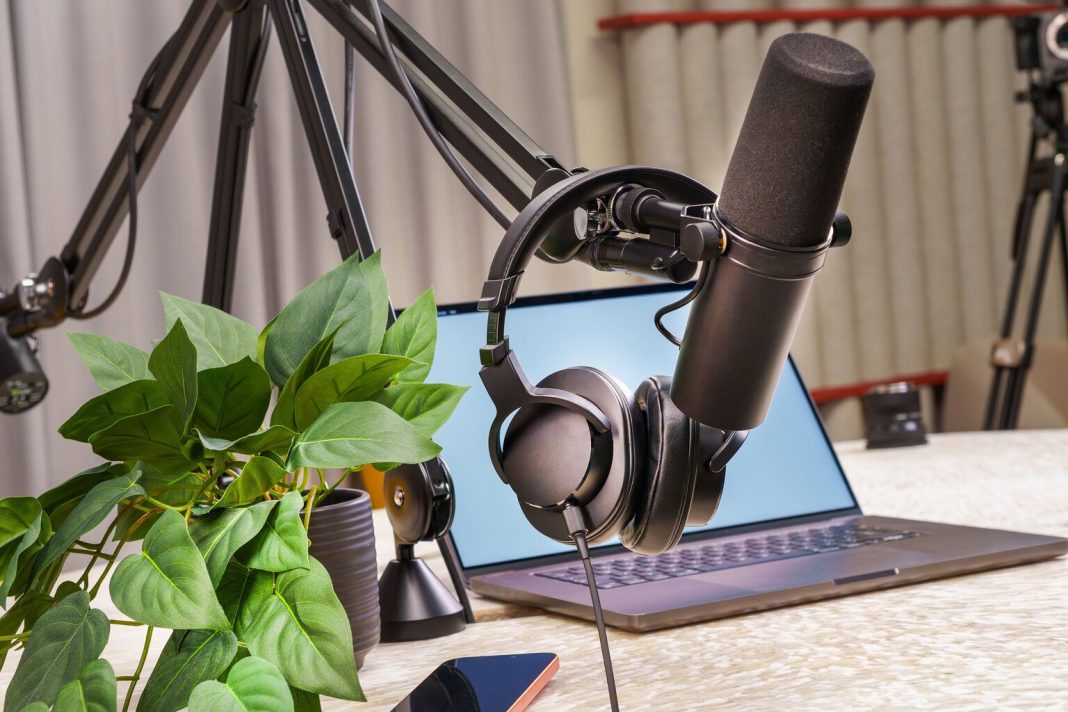


Introduction: The Rise of Faceless Content Creation
Running a successful YouTube channel, TikTok account, or Instagram Reels page used to require a massive investment of time. Creators had to buy professional studio microphones, soundproof their rooms, spend hours recording voiceovers, and edit out every cough or mispronounced word.
For creators building faceless channels—where the focus is on finance tips, tech breakdowns, history documentaries, or true crime stories without showing your face—audio production was always the biggest bottleneck.
Today, that bottleneck is entirely gone.
By combining modern AI voice cloning and advanced text-to-speech tools, creators can scale their publishing frequency from one video a week to daily uploads. Instead of spending hours in a sound booth, you can type out a script, apply your custom voice profile, and generate studio-grade narration in minutes.
In this long-form, SEO-optimized masterclass, we will break down how top creators use voice cloning to scale faceless channels, the exact production pipeline required, and how you can leverage tools like Speakatoo to automate your audio workflow.
Why Voice Cloning is a Game-Changer for Faceless Channels
In a faceless channel, your voice is your brand. It is the only human element your audience connects with. If your narration sounds robotic or changes tone from video to video, viewers will quickly click away.
1. Consistency Builds Brand Identity
When you use preset, generic AI voices from a stock library, your channel sounds like everyone else’s. Voice cloning solves this by letting you create a permanent, unique digital voice profile.
-
The Same Narrator Every Time: Whether you upload video number one or video number five hundred, using your dedicated voice clone ensures absolute acoustic consistency.
-
Audience Recognition: Subscribers begin to recognize your distinct vocal style, building long-term loyalty and trust.
2. Overcoming Production Burnout
Traditional video production fails when creators burn out under the weight of manual editing. Voice cloning slashes production time by up to 98%, allowing you to focus purely on scriptwriting, thumbnail design, and channel strategy.
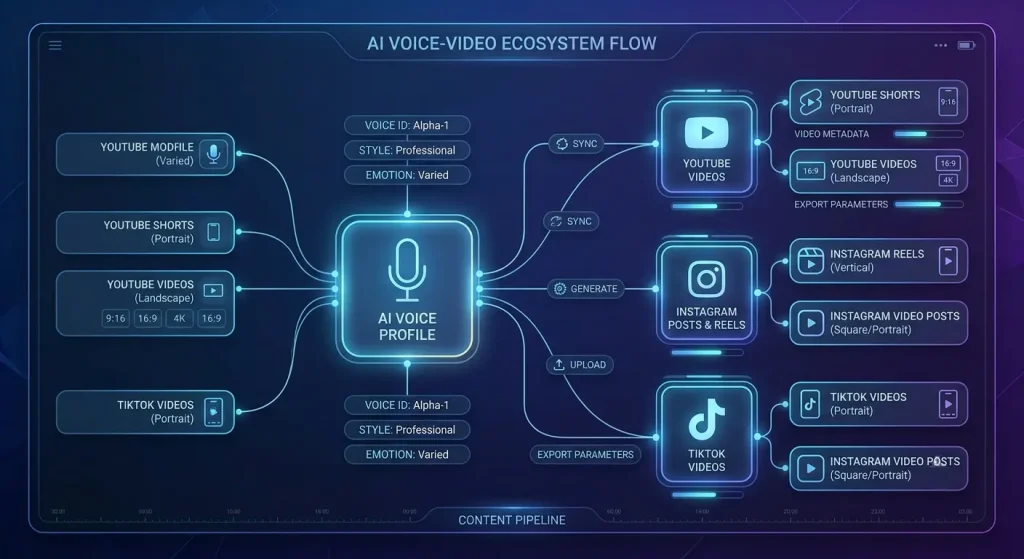
The High-Retention Faceless Content Workflow
Success on YouTube and Instagram Reels depends on audience retention. High-performing faceless channels follow a strict, repeatable manufacturing line rather than treating every video as a random creative project.
Step 1: Niche Selection and Scripting
-
Find Your Angle: Focus on high-value niches like finance, technology, education, or historical documentaries where depth and pacing matter more than a presenter’s face.
-
Write for the Ear: Keep sentences punchy, use strong hooks in the first five seconds, and build natural pattern interrupts every 15 to 20 seconds.
Step 2: Instant Voice Generation via Cloning
Once your script is finalized, paste it into your text-to-speech engine, select your saved custom voice clone and generate your high-definition audio file in seconds.
Step 3: Visual Assembly and Auto-Captions
Layer your generated voiceover into your video editor (such as CapCut, Premiere Pro, or DaVinci Resolve), match it with dynamic stock B-roll or AI-generated visuals and add clean, mobile-optimized captions.
How to Set Up Your Voice Clone for Maximum Quality
To ensure your cloned voice sounds indistinguishable from a real studio recording, follow these technical best practices:
1. Record Clean Reference Audio
When creating your initial voice sample, record in a quiet room with minimal echo. Use a clean microphone without background hums or electronic static. Any background noise in your sample will be amplified across all your generated videos.
2. Maintain Strict Parameter Settings
Once your voice model is established, keep your stability, clarity, and pacing settings locked. Consistency in your platform configuration ensures your audio output remains stable across all future uploads.
Platforms like Speakatoo provide advanced sound studio tools and seamless voice cloning capabilities designed to keep your audio profile consistent. You can explore their features directly through the Speakatoo Text-to-Speech Generator.
Best Practices for Scaling Daily Uploads Safely
Scaling your channel to publish multiple times a week requires discipline to avoid common automation pitfalls.
1. Avoid Lazy Copy-Paste Automation
Search engine algorithms reward original editorial value and penalize low-effort, mass-produced spam. Always review, edit, and inject your own unique creative perspective into every script before generating your voiceover.
2. Batch Your Production Schedule
Instead of recording and generating audio one video at a time, batch your workflow: write three scripts on Monday, generate all your voiceovers on Tuesday, and handle video editing on Wednesday. This batching method makes daily publishing effortless.
Optimizing Retention and Pacing for Short-Form vs. Long-Form Video
Different social media formats require entirely different approaches to voice pacing and script structure.
1. Short-Form (Instagram Reels and YouTube Shorts)
-
High Energy and Speed: Short-form videos require immediate hooks and swift pacing. Adjust your voice generation speed slightly upward (105% to 110%) to keep momentum high.
-
Aggressive Pattern Interrupts: Change visual cues and audio accents every 2 to 3 seconds to prevent viewers from swiping away.
2. Long-Form (YouTube Documentaries and Explainer Videos)
-
Measured Authority: Long-form content relies on viewer trust and deep storytelling. Keep your voice speed at a natural, steady rhythm (100%), allowing complex ideas to land smoothly.
-
Intentional Pauses: Insert tactical punctuation breaks to give the audience time to digest heavy information or data points.
Overcoming Common Technical Obstacles in AI Voice Pipelines
Even the most advanced voice cloning tools require proper handling to avoid common production hiccups.
- Fixing Pronunciation Errors in Niche Topics: Technical channels (crypto, medical science, advanced tech) often feature complex jargon that default TTS models mispronounce. Always maintain a custom pronunciation dictionary to map out difficult words phonetically.
- Managing Background Audio Levels: When layering background music under your cloned voiceover, ensure the music volume sits at least 18dB to 24dB lower than the narration. A great voice buried under loud background tracks will instantly ruin audience retention.
FAQs on Voice Cloning for Faceless Channels
Q1: What is a faceless YouTube or Instagram channel?
Answer: A faceless channel publishes engaging video content—such as educational explainers, financial guides, or storytelling documentaries—without the creator ever appearing on camera.
Q2: How does voice cloning help faceless channels grow faster?
Answer: Voice cloning allows creators to generate professional, consistent narration in minutes instead of spending hours recording in a studio, enabling high-frequency publishing schedules.
Q3: Do I need expensive equipment to create a voice clone?
Answer: No. Most modern platforms require only a clean 10-to-15-second or 1-minute audio recording captured in a quiet room using a standard microphone.
Q4: Can I use my cloned voice across multiple social media platforms?
Answer: Yes. Once your custom voice clone is generated, you can use the audio files freely across YouTube, Instagram Reels, TikTok, and podcasts.
Q5: Will YouTube monetize videos that use AI voice cloning?
Answer: Yes, provided the content offers original editorial value, unique scripting, and human creative direction rather than lazy, automated mass-spam.
Q6: How do I keep my voice clone sounding identical across different videos?
Answer: Always use the same saved voice ID, maintain identical platform audio settings, and stick to a consistent script writing style.
Q7: Can I translate my cloned voice into other languages?
Answer: Yes. Advanced multi-modal platforms allow you to take your cloned voice profile and generate localized narration in dozens of international languages.
Q8: What are the best niches for faceless AI channels?
Answer: High-performing niches include personal finance, technology breakdowns, history documentaries, true crime, and educational tutorials.
Q9: How long does it take to generate audio from a script using AI?
Answer: Generating a full-length voiceover file from a written script typically takes only a few seconds to a couple of minutes.
Q10: Where can I build and test custom voice clones for my channel?
Answer: You can explore professional voice cloning and text-to-speech tools by visiting Speakatoo, which offers robust sound studio capabilities designed to elevate your content strategy. Try their engine directly via the Speakatoo Text-to-Speech Generator.
Conclusion: Build Your Audio Empire Today
Scaling a faceless YouTube or Instagram Reels channel no longer requires a Hollywood budget or endless hours in a recording studio. By harnessing the power of custom AI voice cloning, you can maintain a consistent brand identity, slash your production time, and publish engaging content on a daily basis.
Whether you are launching a new educational series or expanding your social media footprint, voice cloning is the ultimate tool to turn your content ideas into reality.
Ready to scale your faceless channel with studio-grade audio? Head over to Speakatoo to explore advanced voice cloning and text-to-speech tools today.